Odysseus AI Windows Install
Without Docker Confusion
Run Odysseus AI on Windows with fewer PowerShell, Python, Docker, Ollama, admin login, and localhost:7000 mistakes. Select the best configuration route, access copyable terminal strings, run a local system readiness checker, and secure your environment correctly.
General Context Note: Odysseus AI is completely free and licensed under open-source structures. This site does not distribute or modify official code vectors. OdysseusAI.run provides independent setup guides, Ollama endpoint integration tables, port resolving instructions, and paid beta Launch Kit access.
*The future Launch Kit represents an automated setup script package for Windows users who want an aligned preflight verification pipeline.
Can you install Odysseus AI on Windows?
Yes, completely. A robust, secure Odysseus AI Windows install can be achieved quickly. However, matching your comfort levels with the correct runtime environment determines your setup success.
Use this section as the route decision before running the launcher. Native Windows is best when Python, Git, and PowerShell are ready. Docker Desktop is best when you want service isolation and repeatable logs. API-backed setup is best when the machine can open the workspace but should not carry heavy local model weights.
Native Windows Route
Bypasses Docker virtualization by running direct Python environments using PowerShell command line hooks. Fastest configuration when you can inspect terminal output, capture the admin password, and correct Python path issues without container logs.
Docker Desktop Route
Creates a containerized environment which leaves your direct Windows registry pristine and structures logs securely. Use this route when you want Docker Compose status, service restarts, and localhost:7000 checks to be repeatable.
API-Backed Route
Bypasses Ollama and physical GPU constraints completely by loading models via remote API keys entered into Settings. This is the practical fallback when the Windows machine lacks enough memory or GPU access for local inference.
Verify the official source before your Windows install
Never download raw compiled .exe files or zip packages from unfamiliar blogs or landing pages claiming to represent the Odysseus installer. Always inspect and clone directly from the official open-source repository.
git clone https://github.com/pewdiepie-archdaemon/odysseus.git
cd odysseus
Verify Hashes & Repos
Only use the official repository (pewdiepie-archdaemon/odysseus). Third-party binaries downloaded from mirrors can harvest API tokens.
Keep Credentials Secret
Do not copy or paste security elements like the first-run logs, admin passwords, or external prompt variables into insecure search trackers.
WINDOWS PATH
You're this close.
Windows doesn't have to be the hard part.
You're on Windows. You know PowerShell can be tricky. Execution policies. Python versions. Git for Windows. One wrong setting and you're stuck.
Launch Kit tells you exactly where.
Launch Kit tells you exactly where. Preflight checks before you run anything. Clear triage when something breaks. And explicit reminders of the most common Windows-specific traps.
You shouldn't have to become a sysadmin just to run local AI. $19.9 gets you a Windows-first setup kit.
Launch Kit gives you:
Windows Preflight
PowerShell, Python, Git checks upfront.
PowerShell Safe Mode
Execution policy guidance that actually works.
Directory Setup Guide
Where to put things, why it matters.
Windows Error Triage
System-specific fixes, not generic advice.
Security Reminders
Keep your local setup actually local.
First Workflow Templates
Get from 0 → working in minutes.
Save one evening.
That's all we ask.
ONE-TIME ACCESS
$19.9
Beta price
Secure checkout
Powered by Stripe
30-day satisfaction
guarantee
Built by developers
for developers
Which Odysseus AI Windows install route should you use?
Review detailed alignment matrix below to make the perfect structural architectural call for your system.
| Your Situation | Best Target Path | Dependencies Needed | Crucial Windows Trap | Action Vector |
|---|---|---|---|---|
| No virtual environments / dislike Docker | Native Windows Route | Git, Python 3.11+, PowerShell | Wrong python version picked over PATH | A: View Native |
| Already running Docker containers | Docker Desktop Route | Git, Docker Compose | Forgetting daemon startup steps | C: View Docker |
| Local acceleration with Ollama required | Native + Ollama | Ollama Windows, Llama Model | Using virtual Docker port in Native mode | View Ollama Guide |
| Low spec / 8GB RAM Windows Laptop | API Gateway Mode | Internet connection | Pushing CPU limits with heavy models | Waitlist Info |
Windows Preflight checklist
Run the essential diagnostic verification metrics down below. This prevents the majority of common command-line terminal errors later.
Git For Windows `git --version`
Required to parse repository updates. Ensure your active profile has global hooks enabled.
Python 3.11+ Vector `python --version`
Python is the fundamental processing backend. Remember to check "Add Python to PATH" step inside Windows setup.
PowerShell Execution Policy Unrestricted / Bypass
Windows blocks executable local scripts by default. Leverage safe cmd parameters to bypass constraints temporarily.
Port Checker Port 7000 Available
Other dev tools may occupy local address ports. If so, configure custom values using system `.env` attributes.
Interactive Readiness Checker
Route A: Native Odysseus AI Windows install
The native Windows route represents the most direct Odysseus AI Windows install path if you choose to avoid container virtualization overhead. It uses the official wrapper hooks.
Open Windows PowerShell (or Command Prompt / Git Bash) inside your preferred working directory and download the code folders.
git clone https://github.com/pewdiepie-archdaemon/odysseus.git
cd odysseus
Call the launcher script using single-use execution bypass parameters to clear security policy lockdowns safely.
powershell -ExecutionPolicy Bypass -File .\launch-windows.ps1
Active Automation Process:
- •Verifies active Python path interpreters. Ensure it matches 3.11+.
- •Configures an isolated local virtual environment workspace (venv).
- •Executes automated package installation using the pip controller.
- •Initializes the first startup and outputs the temporary admin security keys.
Expected Local Host Address:
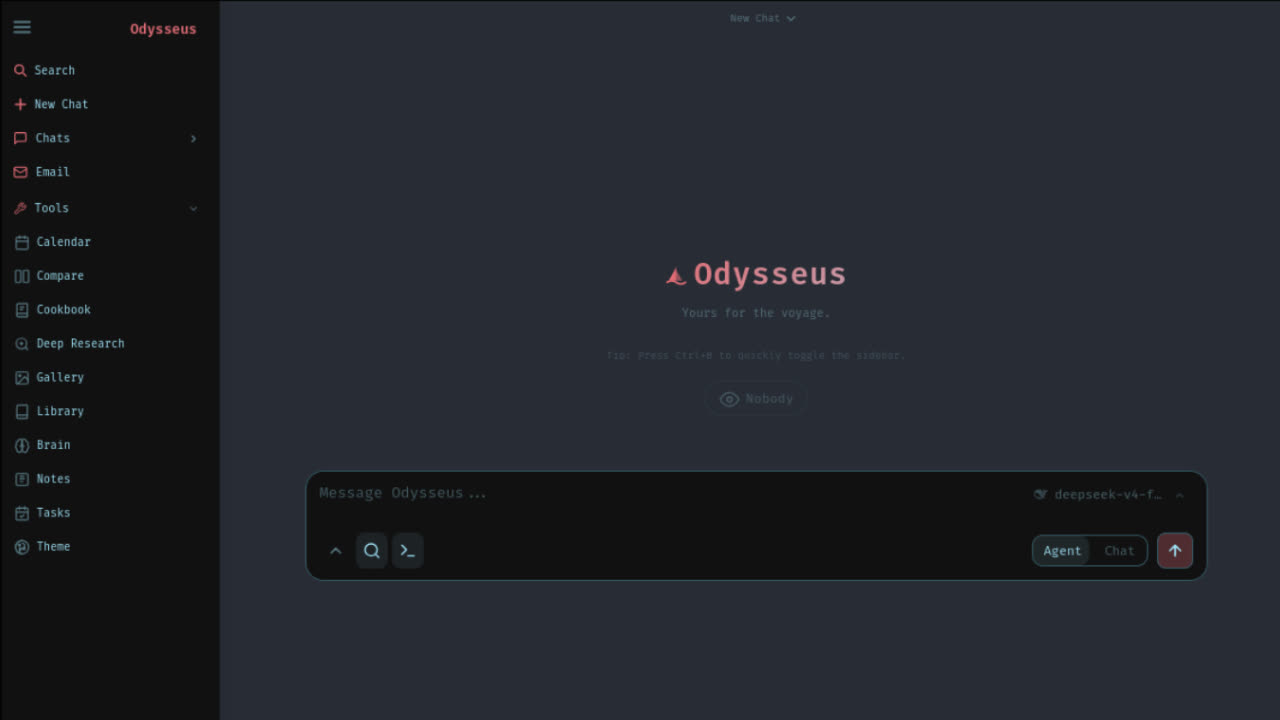
http://localhost:7000
Route B: Manual Windows Fallback
If the automated PowerShell installer fails due to restricted environments or special permissions, perform manual step-by-step terminal execution hooks.
git clone https://github.com/pewdiepie-archdaemon/odysseus.git
cd odysseus
py -3.11 -m venv venv
venv\Scripts\Activate.ps1
pip install -r requirements.txt
python setup.py
python -m uvicorn app:app --host 127.0.0.1 --port 7000
Python Version check
Use py -3.12 if Python 3.11 is missing. If you don't have the windows launcher launcher, replace with python -m venv venv.
PowerShell activation path
If terminal says blocked when running the activation script on line 4, use Set-ExecutionPolicy -Scope Process Bypass inside the current PowerShell thread.
Uvicorn Host execution
Using 127.0.0.1 prevents standard LAN exposure securely. Do not set to 0.0.0.0 casually.
Route C: Odysseus Docker Desktop install on Windows
If you already use Docker Desktop for Windows development, virtualization is highly convenient. This limits standard system registry clutter.
git clone https://github.com/pewdiepie-archdaemon/odysseus.git
cd odysseus
Copy-Item .env.example .env
docker compose up -d --build
Check Log Diagnostics
If the container spins up but your local port appears inaccessible, verify execution using standard compose hooks:
Addressing occupied port conflicts
If another app occupies your Windows port 7000, update your environment settings variable:
APP_PORT=7001
Odysseus AI Windows install with Ollama
Odysseus does not package model weights internally. To run fully local models, host Ollama natively on Windows and connect them using precise endpoints.
1. Windows Native Host Endpoint
If Odysseus runs natively outside containers and Ollama resides on the same Windows physical threads:
✓ Port mappings matches native localhost loops of physical Windows.
2. Docker Virtual Endpoint
If Odysseus executes inside Docker containers but Ollama executes as a host Windows application:
✓ Routes containers outbound to the Windows physical parent network.
Pre-vet your local model stack
If Ollama does not share models, Odysseus cannot prompt local brains. Verify downloaded models before opening the UI:
Where is the admin password after Odysseus AI Windows install?
Odysseus creates an admin username on first launch and randomizes a temporary password.
Native Windows check
Do not immediately close the PowerShell terminal. Scroll backwards near the initialization logs. A distinctive banner printed safe logins such as admin paired with a temporary token.
Docker Container check
If spun up as a daemon container background task, check the virtual system output using logs:
Why localhost:7000 does not open on Windows
If your browser states connection failed, evaluate this quick target resolution matrix.
Server inactive
Your console window crashed out before serving completes. Inspect the stack traceback details.
Port occupied
Another web application reserves address 7000. Force alternative routes via `.env`.
CORS Conflict
Local model parameters cross boundaries incorrectly. Ensure endpoints match correctly.
Network loops
Avoid binding to 0.0.0.0 casually. Doing so opens global listening pathways.
Fix common Odysseus AI Windows install errors
Select your specific symptom using tabs below to fetch an immediate safe diagnostic step-by-step resolution.
PowerShell Blocks script execution policy
Symptom: launch-windows.ps1 cannot be loaded because running scripts is disabled on this system
Cause: Windows restricts third-party script executions by default. Rather than loosening system policies globally (which is insecure), bypass policy checks single-use for only this thread.
✓ Keeps system credentials and device profiles pristine while letting launcher run.
Post-Install: What workflow starts can you try?
Once setup completes, Odysseus serves as a physical control station. Leverage these curated starter templates to deploy agentic models.
Research Agent Setup
Command local brains to scrape system nodes, index docs and compile structures.
Coding Assistant Setup
Feed compiler blockages into Odysseus and get diagnostic resolutions safely.
SEO Blueprint Planner
Structure your technical support matrices for search crawls elegantly.
Automated Odysseus Launch Kit Beta Is Open
Skip complex manual debugging loops. Get the beta setup package that prepares Windows routes, checks dependencies, and points you to the next safe repair step.
Target Launch Kit Components:
- Python & Git native environment pre-checks
- Auto-resolution scripts for Port 7000 locks
- Ollama Host DNS address configuration mapper
- One-click credential diagnostics checker
Safety rules for Odysseus AI Windows install
Local AI setup involves robust background script integrations. Standardize security defaults using our recommended checklist:
A secure Odysseus AI Windows install keeps the app local while you are still debugging. Do not expose raw ports, share screenshots with generated admin passwords, or paste API keys into support forms. Verify the route first, then widen access only if you intentionally need LAN or VPN usage.
Local Bindings First
Secure target URLs under loopback limits `127.0.0.1` instead of broad ranges.
Enable Login Tokens
Maintain passwords securely after initial launch parameters output.
Hide Raw API elements
Do not commit keys inside shared network configurations or Git files.
Establish VPN locks
If accessing from other systems, bridge loops through private tunnel nets.
Odysseus AI Windows install FAQ
Start your Windows Install with fewer mistakes
Verify the official source. Choose native Windows, Docker Desktop, Ollama, or API-backed setup. Check Python and PowerShell before running commands. Find the admin password. Fix localhost:7000. Keep the setup private.