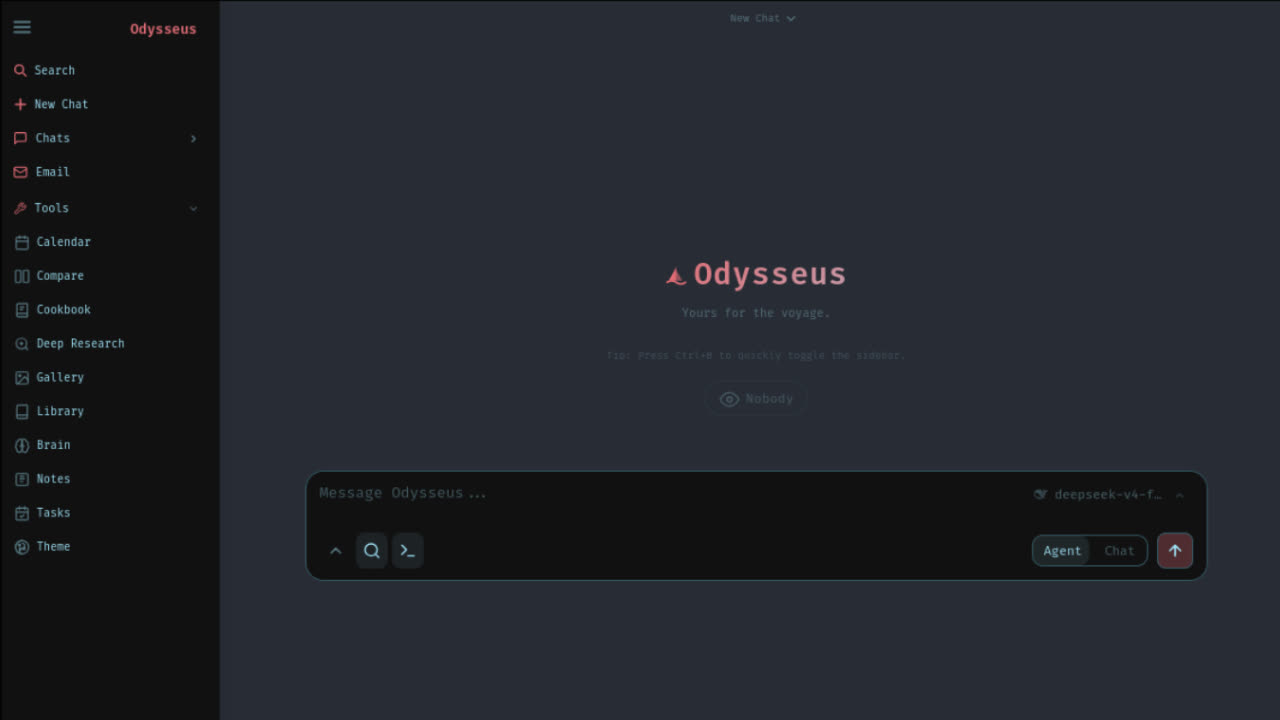
Odysseus setup in one minute
A clean odysseus setup begins with route choice, not commands. If you want the lowest-risk first run, use Docker Compose from the official GitHub repository. If you are on Windows and want direct control, use the native route: install Git, install Python 3.11 with PATH enabled, create a virtual environment, install requirements, run setup, then start the local server.
The key difference is responsibility. Docker hides most dependency wiring inside the container. Native Windows setup exposes the moving parts: Git clone, PowerShell, Python, venv activation, package installation, first username and password, and server startup. That extra control is useful, but every step creates another possible failure point.
If you are comparing odysseus setup with an odysseus install guide, use this page for the decision layer: which route, tools, model backend, and safety checks belong in your environment. Use the install hub when you already know the route and want the dedicated Windows, Docker, MacBook, or Ollama page.
For searchers looking for odysseus setup after seeing a YouTube tutorial, the safest interpretation is: use the video for orientation, but verify commands against the official README. The video flow shows one practical Windows path; this page adds route comparison, fallback checks, and model connection guidance so you do not confuse a Python problem with an Ollama problem.
Choose your setup route
Choose Docker when you are new to self-hosted apps, want fewer Python dependency errors, or care more about getting the dashboard open than customizing internals. The Docker path uses the official clone, optional .env copy, and Docker Compose stack. It normally opens at localhost:7000.
Choose native Windows when you are comfortable with PowerShell and want to see every setup layer. The referenced video follows this route because it teaches what Git, Python, venv, and the local server command are doing. Native setup can be clear and fast, but you must install the right Python version and keep the server terminal alive.
Choose an API-backed model route if your hardware is weak. You can still complete odysseus setup and run the workspace, then connect OpenRouter, OpenAI-compatible endpoints, or another provider instead of pulling local models immediately. This prevents local inference limits from looking like an install failure.
Native Windows setup
The Windows native path starts with Git and Python. Install Git so PowerShell can clone the official repository. Install Python 3.11 or newer from the official Python site and check Add python.exe to PATH. Without that PATH setting, the next commands may fail or open the Microsoft Store placeholder instead of a real Python runtime.
git clone https://github.com/pewdiepie-archdaemon/odysseus.git
cd odysseus
py -3.11 -m venv venv
.\venv\Scripts\Activate.ps1
pip install -r requirements.txt
python setup.py
python -m uvicorn app:app --host 127.0.0.1 --port 7000
During setup, Odysseus may ask you to create a username and password. Typing a password in a terminal may look blank; that can be normal. After the server starts, open http://127.0.0.1:7000 or http://localhost:7000 and sign in with the credentials you created.
Native setup depends on the terminal session. If you close the terminal, the server can stop. Create a shortcut or script only after the manual command path works. A script that hides a broken command just makes future troubleshooting harder.
You chose Odysseus. Now let's get you running, not just reading.
Launch Kit tells you exactly where. The bridge between "I chose Odysseus" and "I'm using Odysseus". Not more documentation, but a decision-making kit. The first night should be about exploring, not troubleshooting.
Docker setup fallback
If native Windows setup fails at Python, packages, activation, or server launch, do not keep changing random settings. Try the Docker route from the official README. Docker gives Odysseus a predictable runtime and makes the first run easier to classify.
git clone https://github.com/pewdiepie-archdaemon/odysseus.git
cd odysseus
cp .env.example .env
docker compose up -d --build
Docker is also the route to use when you want to compare your result with the most documented setup path. If the Docker stack is healthy but the browser does not open, your issue is likely port mapping, localhost, APP_PORT, or a still-starting service. If the stack exits, read logs before reinstalling.
Keep both routes conceptually separate. Native Windows uses a local Python process that you start in PowerShell. Docker uses containers. Ollama can be used with either route, but the endpoint changes when Odysseus runs inside Docker and Ollama runs on the host machine.
Add Ollama after setup
The video uses Ollama as a practical fallback when Cookbook model download does not work. That is a reasonable first model path. Install Ollama, pull a lightweight model such as a small Qwen, Gemma, or Llama variant, send one test prompt in Ollama, then return to Odysseus settings and scan for local servers.
For native Windows setup, Odysseus and Ollama usually share the same machine, so localhost:11434/v1 is the expected OpenAI-compatible style endpoint. For Docker-to-host setups on Docker Desktop, use host.docker.internal:11434/v1. The /v1 suffix matters when Odysseus expects an OpenAI-compatible provider URL.
If Odysseus cannot see your model, separate three checks: is Ollama running, is the model actually pulled, and is the endpoint correct for your route? Do not reinstall Odysseus just because the model list is empty. That usually means the model backend is not reachable.
Avoid these setup mistakes
Do not mix commands from different setup routes. A Docker command, a native PowerShell command, and an Apple Silicon native command can all be valid, but not in the same terminal context. Pick one odysseus setup route, finish it, and record what you changed before trying another.
Do not skip source verification. The official project is open source, but that does not mean every site offering Odysseus commands is safe. Use the official GitHub repository as the source of truth and treat videos, blog posts, and this page as explanatory layers.
Do not expose local ports publicly during first setup. Keep localhost local until authentication, model providers, and secrets are understood. If you want phone or LAN access later, use a trusted VPN or protected reverse proxy and review the security implications first.
Windows setup checkpoints
A useful Windows odysseus setup should create visible checkpoints instead of one long blur of terminal output. After installing Git, check that PowerShell can run git --version. After installing Python, check py -3.11 --version. After creating the virtual environment, confirm the prompt or path shows the environment is active before installing requirements. These checks feel slow, but they prevent you from debugging the wrong layer.
If the video's native flow works for you, keep a short note with the exact folder path, Python version, command that starts the server, and local URL that opens the dashboard. Native installs fail later when users forget which terminal window was responsible for the running server. If the terminal closes and Odysseus disappears, that is expected behavior for a native server process, not proof that your setup was deleted.
PowerShell execution policy can also confuse first-time users. If a script is blocked, avoid changing system-wide policy unless you understand the machine context. For a manual native setup, prefer explicit commands first. After the manual route is stable, you can create a small local shortcut or batch file for your own machine, but the shortcut should only repeat commands that already worked by hand.
Model route decisions
Odysseus setup is not complete just because the dashboard opens. The workspace still needs a model backend before chat, agents, research, or document workflows can produce useful answers. That backend can be Cookbook-managed local serving, Ollama, OpenRouter, OpenAI-compatible APIs, or another provider supported by your current Odysseus build.
The source video makes a practical choice: when Cookbook model download hits errors, use Ollama. That does not mean Cookbook is bad or Ollama is mandatory. It means beginners need a fallback path. If a small Ollama model replies in its own terminal or app, you have proven the local model layer works. Then Odysseus only needs the right server scan or endpoint. If Ollama itself cannot answer, fix Ollama before blaming Odysseus.
Start with small models. A lightweight Qwen, Gemma, or Llama variant is better for a first validation than a huge model that exhausts memory and makes the whole setup appear broken. Your first goal is not maximum benchmark quality. Your first goal is one reliable prompt-response loop inside Odysseus. After that, you can test bigger models, GPU paths, or API providers with a known-good baseline.
Restart routine after setup
A reliable odysseus setup includes the daily restart path. For native Windows, that means opening a terminal, moving into the Odysseus folder, activating the environment if needed, and running the server command again. For Docker, it means Docker Desktop is running and the Compose stack is up. Those are different habits, and mixing them is a common reason users think the app vanished.
If you want a desktop shortcut, create it after manual startup works three times in a row. The shortcut should point to the correct Odysseus folder and use the same command path you already verified. If you move the repository folder later, the shortcut must be updated. If you change ports in .env, the browser URL must change too.
Keep a simple recovery note near your shortcut: the local URL, the install route, the model backend, and the first diagnostic command. For Docker, that diagnostic is usually docker compose ps. For native Windows, it is usually the terminal output from the server process. This small note turns future troubleshooting from guesswork into a quick status check.
Failure map
When setup fails, classify the failure by stage. A clone failure is a Git or network issue. A venv failure is a Python path or version issue. A requirements failure is a package install issue. A server startup failure is an Odysseus runtime or port issue. A blank model list is usually a model backend or endpoint issue. These categories matter because each one has a different fix.
Do not collapse every message into “Odysseus is broken.” That makes search results less useful and support requests harder to answer. Instead, record the last successful checkpoint and the first failing command. For example: “Git clone worked, Python 3.11 installed, venv activated, pip install failed” is much more actionable than “setup failed.”
Also redact before sharing. Do not post API keys, passwords, full .env files, private folder paths with sensitive user names, or raw screenshots with tokens. OdysseusAI.run does not need secrets to diagnose normal setup questions. Safe context is enough: operating system, route, hardware goal, last command, redacted error, and whether the dashboard or model backend ever worked.
FAQ
What is the safest Odysseus setup for beginners?
Docker Compose is the safest beginner default because it isolates the app and bundled services. Native Windows setup is useful when you want direct control over Python and the server command.
Why does Odysseus setup need Git?
Git downloads the official source from GitHub and keeps the setup transparent. Avoid third-party installers because Odysseus should be verified from the official repository before commands are run.
Which Python version should I use for Odysseus setup?
Use Python 3.11 or newer. On Windows, check Add python.exe to PATH during installation so py -3.11 and virtual environment commands work from PowerShell.
Should I use Cookbook or Ollama for the first model?
Try Cookbook if your hardware detection and model download work. If that stalls, Ollama is a practical fallback: pull a lightweight model, confirm it replies, then scan for servers in Odysseus settings.
Why does Odysseus stop after I close the terminal?
Native setup runs the server from your terminal session. Closing that session stops the server. Use a repeatable command, script, or shortcut only after the manual setup path works reliably.
Use this odysseus setup page when you are choosing tools and dependencies. Use the how to run Odysseus page when the project is already installed and you need the shortest path to start the local UI, log in, and connect a model.