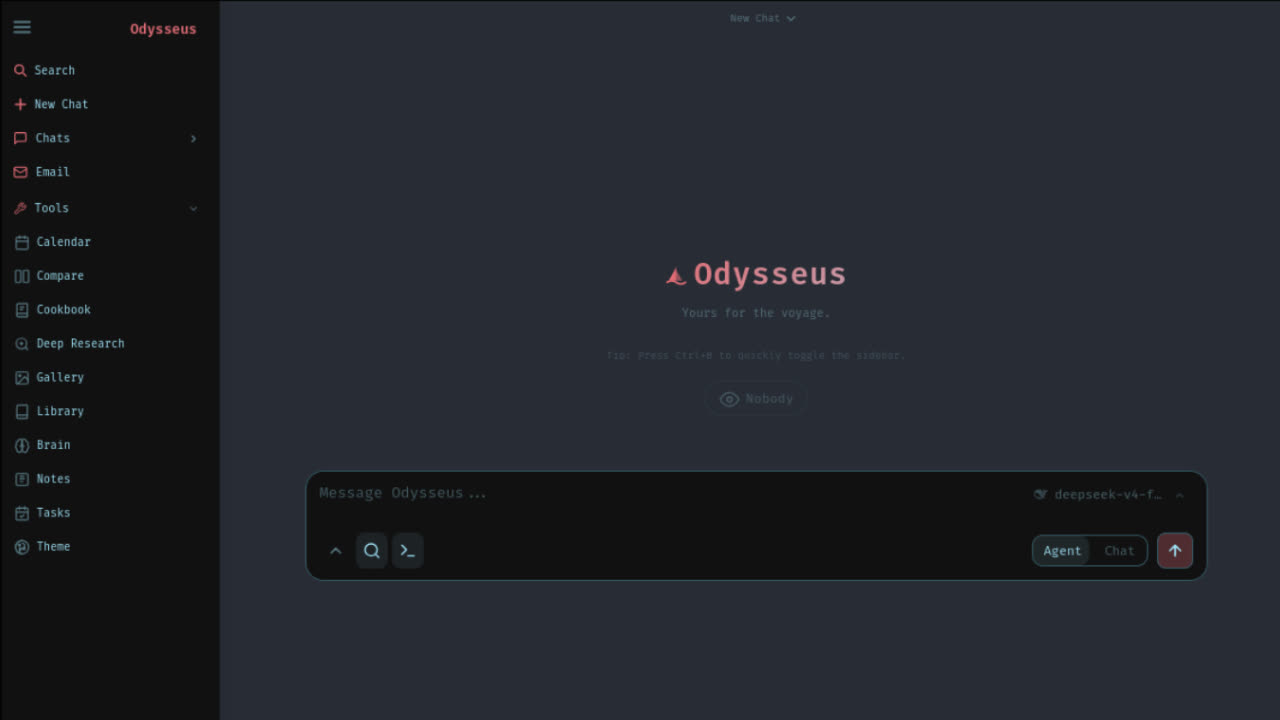
Odysseus AI GitHub in one minute
The short answer: the Odysseus AI GitHub repository to verify is pewdiepie-archdaemon/odysseus. Use the official repo before you trust any download page, ZIP mirror, installer bundle, fork, or copied command. A safe odysseus ai github workflow starts with source identity, not with the fastest terminal command.
A GitHub Odysseus searcher usually has one of three intents. They want the official source, they want the clone command, or they want to understand whether a fork, release, or tutorial is safe. This page answers those intents directly. It tells you what to inspect in the repository, what files matter, and which install guide to use after cloning.
Do not treat GitHub as only a download button. The repository also contains the README, license, security notes, threat model, Docker Compose files, native launchers, dependency files, and issue context. Those files explain what Odysseus is allowed to do on your machine and which setup route fits your hardware.
Verify the official repository
Start by checking the full GitHub path: pewdiepie-archdaemon/odysseus. The owner and repository name matter because Odysseus is a fast-moving open-source project, and search results can include commentary sites, forks, copied README pages, and domains that look official. Those pages may be useful, but they should not be your source of commands.
On GitHub, inspect the repository header, README, file list, license, security files, and recent activity before cloning. The GitHub API currently identifies the repository as a self-hosted AI workspace and reports an MIT license. Because this can change, always read the visible LICENSE file and README in the repository you are about to clone.
Official repository
pewdiepie-archdaemon/odysseus
Use this owner and repo name before cloning. Similar domains, mirrors, forks, and repackaged downloads should not be treated as the source of truth.
License file
MIT license
The GitHub API currently reports an MIT license. Still read the LICENSE file in the repository before modifying or redistributing anything.
Important files
README, SECURITY, THREAT_MODEL
A real setup decision should include the README, SECURITY.md, THREAT_MODEL.md, .env.example, docker-compose.yml, and native launcher files.
Default branch
Check GitHub before pinning
The repository moves quickly. Normal users can follow the README clone command, while contributors should check the active default branch and contribution notes.
If a guide says to use a different owner, a fork, or a patched branch, pause and ask why. Forks can solve temporary issues, but they can also add unrelated code. A normal user should begin with the official repo, then move to a fork only when there is a specific reason and a clear way back upstream.
Clone safely from GitHub
The official README quick start uses a normal Git clone. The key command is:
git clone https://github.com/pewdiepie-archdaemon/odysseus.git
cd odysseus
That command is intentionally plain. It pulls from GitHub and creates a local working copy. You should still read the README before running the next command because the correct route depends on your machine. Docker, native Windows, native Linux or macOS, Apple Silicon, Ollama, and API-backed model setup do not all use the same path.
Avoid random one-line installers that hide what they download. Avoid compressed bundles from unofficial sites. Avoid screenshots of commands that you cannot audit. If you need a ZIP for inspection, use the GitHub interface on the official repo and still inspect files before running scripts. The goal of an odysseus ai github page is not speed. It is a clean chain from source to setup.
You chose Odysseus. Now let's get you running, not just reading.
Launch Kit tells you exactly where. The bridge between "I chose Odysseus" and "I'm using Odysseus". Not more documentation, but a decision-making kit. The first night should be about exploring, not troubleshooting.
Files to inspect before setup
The repository root matters because it tells you how Odysseus is meant to be run. The current file list includes README.md, LICENSE, SECURITY.md, THREAT_MODEL.md, .env.example, docker-compose.yml, docker-compose.gpu-nvidia.yml, docker-compose.gpu-amd.yml, launch-windows.ps1, start-macos.sh, setup.py, requirements.txt, pyproject.toml, app.py, scripts, docs, static, routes, services, and tests.
README.md
Use it to choose Docker, native Windows, native Mac, Apple Silicon, Ollama, API, and troubleshooting routes.
.env.example
Read this before editing ports, auth, database settings, admin user, provider keys, or bind addresses.
SECURITY.md
Use this to understand responsible disclosure and the project's security posture before exposing anything.
THREAT_MODEL.md
Read this before using agents, shell tools, files, memory, email, or network-facing deployment choices.
docker-compose.yml
Use this for the default Docker route and to understand which services and ports run locally.
Native launchers
Inspect launch-windows.ps1 and start-macos.sh when you want native setup instead of Docker Compose.
A beginner does not need to understand every file, but they do need to know which files can affect security and installation. Any file that touches environment variables, ports, authentication, Docker, dependencies, shell commands, API keys, or model routing deserves attention before execution.
Choose the next setup route
After GitHub verification, pick one route. Do not mix a Docker tutorial with a native Windows tutorial in the same terminal. Do not clone from one repo and paste commands from a different fork. The safest setup path is boring: official repo, one route, one model backend, one first login, then troubleshooting if needed.
Docker Compose
Best default when you want containment and repeatable logs. Continue with the Docker install guide.
Native Windows
Best when you want PowerShell control or the Windows launcher. Check Python 3.11+ and Git first.
Native Mac
Best for Apple Silicon users who care about local model performance through native macOS routes.
Ollama models
Best after Odysseus is running and you need local model endpoint mapping or model selection.
The README quick start says Docker is recommended for many users, while native routes are documented for Linux, macOS, Apple Silicon, and Windows. It also explains first admin login, localhost ports, .env settings, Ollama endpoints, Docker GPU overlays, and safety boundaries around binding outside loopback. Use those notes before changing APP_BIND, APP_PORT, AUTH_ENABLED, or provider settings.
GitHub safety checks
Odysseus is not only a static website. It is a self-hosted AI workspace with chat, agents, files, shell tooling, memory, documents, email, calendar, model providers, and network settings. That makes GitHub source verification more important than it would be for a simple landing page. You are running software that may handle private prompts, API keys, local files, and agent actions.
Before exposing anything beyond localhost, read the README security notes and the repository security files. Keep authentication enabled. Do not publish raw Odysseus ports or Ollama ports directly to the public internet. Do not paste .env files, generated admin passwords, API keys, private logs, or tokens into public issue comments.
If you need help from GitHub issues, redact secrets and keep the report factual. Include operating system, install route, last command, Docker or native mode, model provider, local URL, and a short safe error line. That is enough for many debugging conversations and avoids leaking credentials.
How to think about forks and branches
GitHub makes forking easy, which is useful for development and risky for beginners. A fork can contain a valid fix, but it can also contain stale code, experimental changes, or security-sensitive edits. If a video or comment says to use a fork, compare the fork against upstream and understand why the official repo is not enough for your case.
Branches also move. The GitHub API can report one default branch while raw README URLs or community links point at another branch. Normal installation via the official clone URL follows the repository default. Contributors and advanced users should check branch names, pull requests, and contribution notes before making assumptions.
For normal users, branch names are less important than source identity. You do not need to chase every active branch before a first install. You do need to confirm that the repo is official, that the README command uses the same repository, and that any tutorial-specific branch advice is still relevant on the date you run it. If a comment tells you to switch branches without explaining the reason, finish your GitHub verification before continuing.
For SEO searchers, the practical rule is simple: use the official repo for normal setup, document any fork or branch exception, and keep a path back to upstream. Do not build your first install around a random fork because it appears earlier in a search result.
From GitHub to local first run
A clean local first run has five stages. First, verify the Odysseus AI GitHub repository. Second, clone it. Third, choose Docker or native setup. Fourth, open the local URL and find the generated admin login. Fifth, configure models inside Settings. Each stage has its own failure mode, so do not debug all of them at once.
If Docker fails, check Docker Compose logs and container health. If localhost fails, check the port and bind settings. If login fails, check the terminal or Docker logs for the generated admin password. If Ollama fails, check whether Odysseus runs native or Docker and use the right endpoint. If models are slow, choose a smaller model or API-backed provider before rewriting your install.
This is where GitHub intent becomes product intent. The repo is only the beginning. The user still needs a route decision, model decision, and safety decision. That is why this page links into the focused install, setup, Ollama, and troubleshooting pages instead of pretending one GitHub page can solve every local machine.
FAQ
What is the official Odysseus AI GitHub repo?
The official Odysseus AI GitHub repo to verify is pewdiepie-archdaemon/odysseus on GitHub. Treat this repository as the source of truth before following mirror downloads, forks, installer bundles, or copied commands.
Should I download Odysseus from GitHub or another website?
Clone or inspect the official GitHub repository first. Third-party websites can be useful as guides, but they should not replace the repository for commands, source files, license details, security notes, or setup changes.
Which files should I inspect before running Odysseus?
Start with README.md, LICENSE, SECURITY.md, THREAT_MODEL.md, .env.example, docker-compose.yml, launch-windows.ps1, start-macos.sh, requirements.txt, and setup.py. These files explain the install route, security model, dependencies, and runtime choices.
Is a GitHub fork safe to use?
A fork is not automatically unsafe, but it is not automatically official either. Use a fork only when you understand what changed, why it changed, and how you can return to upstream. Normal users should begin with the official repository.
What should I do after cloning the Odysseus GitHub repo?
Choose one setup route from the README. Most users start with Docker Compose. Windows users can use the Windows launcher or native PowerShell route. Apple Silicon users who care about local model performance should review the native Mac route.
Use this odysseus ai github guide when your first question is source trust. Use the install hub when you know the official repo and need to choose a route. Use the Docker, Windows, Mac, Ollama, model, and fix pages when the question has moved from GitHub to local setup.