60-second answer
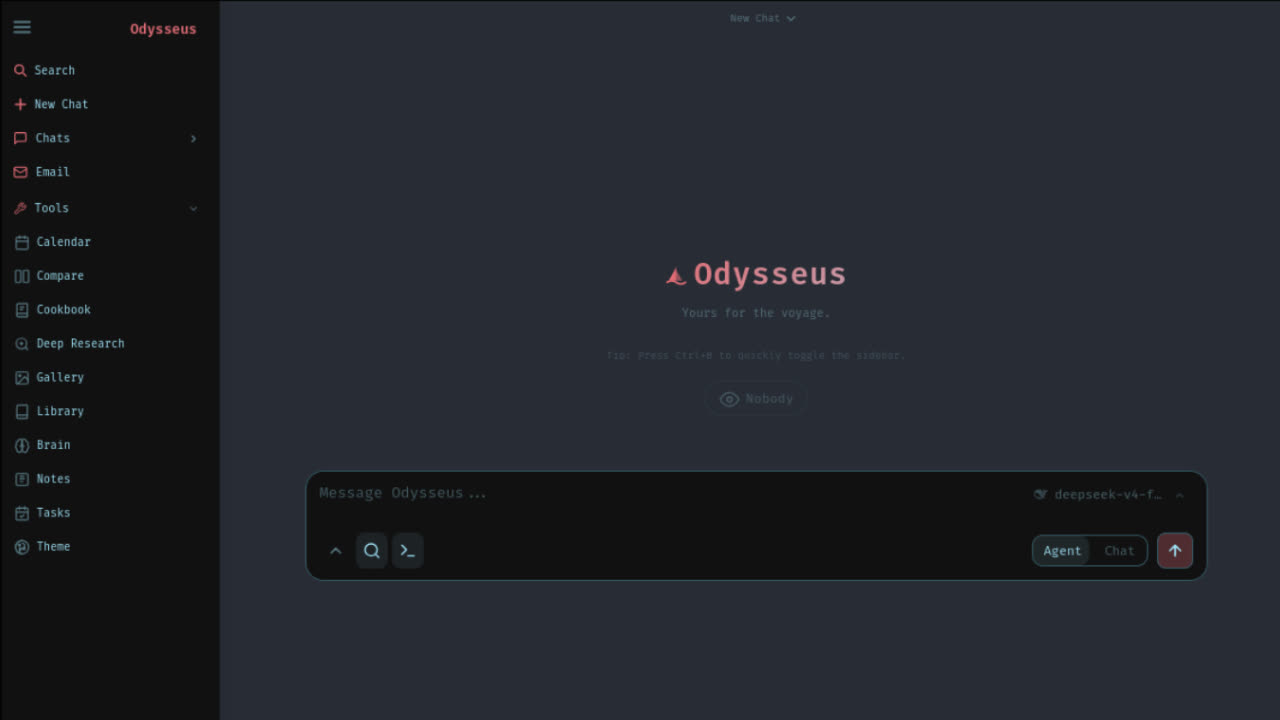
If you only need the practical answer, run Odysseus from the official GitHub repository with Docker Compose. Install Docker Desktop first, open a terminal, clone the repository, copy the sample environment file, start the stack, wait for containers to become healthy, then open http://localhost:7000. That is the safest default route for a beginner who wants Odysseus running without hand-assembling Python dependencies.
The important nuance is that Odysseus is not a normal one-click desktop app. The beginner video gets this right: you need helper tools such as Docker and optionally Ollama, and you use a terminal because the source lives on GitHub. The official README then adds the part many videos skip: the first admin password is printed in the startup output, and Docker users can recover it from the Odysseus service logs.
Do not search for an unofficial Odysseus installer, do not paste API keys into a public support thread, and do not expose localhost to the public internet while you are still testing. Get the local UI working first, prove the login, then decide whether you want Ollama, OpenRouter, OpenAI-compatible providers, or another backend.
If your search was exactly how to run Odysseus, use this order: verify the source, start Docker, open the local UI, recover the admin login, then connect a model. That sequence matches the way Odysseus actually fails in the real world: most users get stuck at source trust, container health, login, or model detection rather than at the concept of the app itself.
Before you start
You need four things before Odysseus can run cleanly: Git to clone the source, Docker Desktop for the default container path, a terminal where you can run commands, and either a local model server such as Ollama or a cloud/API model provider after login. The app itself is relatively lightweight. The heavy part is model serving, especially if you try to run larger local models on a laptop with limited RAM or VRAM.
The video walkthrough uses Docker and Ollama because those two applications make the process less abstract for beginners. Docker gives Odysseus a predictable container home. Ollama gives you a simple way to pull a local model and prove that your machine can answer prompts before Odysseus talks to it. That path is beginner-friendly, but it is still not magic: Docker must be running, the model must exist, and the endpoint must match where Odysseus is running.
If your machine is low-spec, you can still run the Odysseus interface and connect a cloud provider instead of forcing a local model. That is often the better first run for older laptops. The success target for this page is simple: by the end, you should be able to open Odysseus locally, log in, and know exactly where to check when localhost, Docker, admin login, or Ollama fails.
Copyable Docker quick start
These commands follow the official Docker route from the current Odysseus README. Run them from a terminal after Docker Desktop is installed and running. The optional environment copy is recommended because it makes deployment-level settings visible before you start editing ports, bind addresses, or authentication behavior.
git clone https://github.com/pewdiepie-archdaemon/odysseus.git
cd odysseus
cp .env.example .env
docker compose up -d --build
docker compose logs --tail=120 odysseus
Wait for the build to finish before opening the browser. Docker can take several minutes the first time because it may need to pull base images and build the Odysseus service. After the stack is healthy, open http://localhost:7000. If that address does not load, do not delete volumes or reinstall first. Check Docker status and logs. A port conflict or still-building container is much more common than a broken install.
The final log command is intentionally included in the quick start because it solves two common problems at once. It shows whether Odysseus started correctly, and it is where Docker users can find the generated admin password line after first setup. If you are on Apple Silicon and care about local model acceleration, compare this Docker route with the native Mac route before committing to a setup.
A good how to run Odysseus workflow should leave you with one repeatable command path and one recovery path. The repeatable path is the Docker command sequence above. The recovery path is logs, port checks, and the dedicated fix guide, not deleting the folder and starting over.
You chose Odysseus. Now let's get you running, not just reading.
Launch Kit tells you exactly where. The bridge between "I chose Odysseus" and "I'm using Odysseus". Not more documentation, but a decision-making kit. The first night should be about exploring, not troubleshooting.
What the video gets right
The YouTube walkthrough is valuable because it models the mental sequence beginners actually need: install the helper apps first, use the terminal only for the commands that matter, then switch back to the browser UI once Odysseus is running. That lowers the fear factor for people who have never cloned a GitHub project before. It also demonstrates why Docker and Ollama should be running in the background before you expect the local workspace to behave like a normal web app.
The flow can be summarized as: install Docker Desktop, install Ollama if you want a local model, use the terminal to pull or prepare a model, clone the Odysseus repository, run the Docker stack, open the local HTTP address, create or use the first account, then add the model inside the Odysseus interface. The page you are reading adds the operational details that make that flow safer: official source verification, first admin password recovery, Docker-to-host Ollama endpoints, and what to check before restarting from scratch.
Treat the video as an orientation layer and this page as the runbook. Videos age quickly when a project changes commands, ports, settings, or defaults. The official README should remain the final source for commands. This written checklist is designed to be updated when the official project changes, while still preserving the video's beginner-friendly order of operations.
If you arrived from a search for an Odysseus tutorial, use the sections below in order rather than skipping straight to the browser. The common beginner mistake is opening the local UI before Docker, admin credentials, and model backend settings are ready.
Source used for this conversion: Eliot Prince's Odysseus setup video. The video content is paraphrased into an original checklist; it is not reproduced as a transcript.
First admin login
The official README states that Odysseus creates an admin account on first setup and prints a temporary password in the terminal. Unless you changed the admin user through environment variables, the default account is usually the generated admin user shown by the startup output. After login, change the temporary password in settings.
For Docker installs, use logs instead of guessing. Run docker compose logs --tail=120 odysseus from the repository folder and look for the first-run admin credentials. Do not disable authentication as a shortcut. Do not paste screenshots of the password or full logs into a public Discord, Reddit, or search page. Redact secrets before asking for help.
If the login page appears but your password fails, classify the problem before resetting anything. You may be using stale credentials from a previous volume, checking the wrong terminal window, opening a different local port, or running a different stack than the folder you are reading. Our troubleshooting page has a safer path for admin and localhost issues.
Connect Ollama after Odysseus opens
Ollama is optional but common. It lets you run local models on your own machine, then connect Odysseus to that model server. If Odysseus runs natively on the same computer as Ollama, the usual base URL is http://localhost:11434/v1. If Odysseus runs in Docker while Ollama runs on the host machine, Docker's localhost points inside the container, so the common Docker Desktop endpoint is http://host.docker.internal:11434/v1.
The beginner video shows the value of proving a model exists before trying to use it in Odysseus. You can pull a small model in Ollama, confirm it appears in the Ollama app or through the terminal, then add it inside Odysseus. If the model list is empty, the issue is usually one of three things: Ollama is not running, the endpoint lacks the right host or /v1 suffix, or the model has not actually been pulled.
Local models are not free in hardware terms. A small model may run on CPU or modest memory, while larger models can stall a weak machine. If your goal is just to explore the workspace, connect an API-backed provider first and revisit local Ollama later. That avoids confusing a model-serving failure with an Odysseus install failure.
Run checks before reinstalling
Most failed first runs are not solved by deleting folders. Start with status, logs, port, and endpoint checks. In the repository folder, run docker compose ps and docker compose logs --tail=120 odysseus. If the container is still building, wait. If it exited, read the first error. If it is healthy but the browser fails, inspect the port and local address.
When localhost does not open, check whether you are using the right route. Docker uses localhost:7000 by default in the official README. The native Apple Silicon script can use 127.0.0.1:7860. If you changed APP_PORT in .env, your browser URL changes too. If you set a LAN bind address, confirm you understand the security implications before exposing the service outside your machine.
When Ollama fails, remember the boundary: browser localhost, Docker container localhost, and host machine localhost are not the same thing. Native-to-native usually uses localhost. Docker-to-host usually uses host.docker.internal on Docker Desktop. Linux may require an explicit host IP or Docker extra host mapping. Use the dedicated Ollama guide when you are stuck at model detection instead of reinstalling Odysseus.
Next steps after first run
Once Odysseus opens and login works, your next goal is not to click every feature. First, confirm a model responds in chat. Second, verify web search or external providers only if you intend to use them. Third, review security settings before LAN access. Fourth, save the exact route you used so future troubleshooting starts from facts rather than memory.
A good first-hour path is: open chat, select the model, send a short prompt, disable web search if you only want local inference, confirm the response, then visit settings and review provider configuration. After that, explore documents, deep research, notes, tasks, calendar, and agent tools. If the model is slow, the bottleneck is probably local inference hardware rather than the Odysseus UI.
Keep your setup private until you know what you are exposing. Do not bind to all interfaces just to access the app from a phone unless you also understand authentication, trusted LAN or VPN access, and reverse proxy security. For most users, localhost is the correct first-run boundary.
FAQ
What is the fastest way to run Odysseus?
For most users, the fastest safe path is Docker Compose from the official GitHub repository: clone the repo, copy .env.example to .env, run docker compose up -d --build, then open localhost:7000.
Do I need Ollama before I run Odysseus?
No. You can run the Odysseus web interface first, then connect Ollama or a cloud/API-backed model provider after login. Install Ollama first only if your goal is local model testing immediately.
Where is the Odysseus admin password?
The first admin password appears in the first-run terminal output. For Docker installs, read docker compose logs odysseus and change the temporary password after login.
Why does localhost:7000 not open?
The container may still be building, Docker may not be running, port 7000 may be taken, or APP_PORT may be different in .env. Check docker compose ps and docker compose logs before reinstalling.
Can I use the YouTube setup video as the only source?
Use video walkthroughs for orientation, but verify commands against the official GitHub README before running them. This page turns the video flow into a safer checklist and adds official-source checks.
Still deciding whether this is the right guide? Use this page for how to run Odysseus after you already know you want the app open locally. Use the setup guide when you are still choosing Windows native, Docker, Python, Git, Ollama, or API-backed model routes.