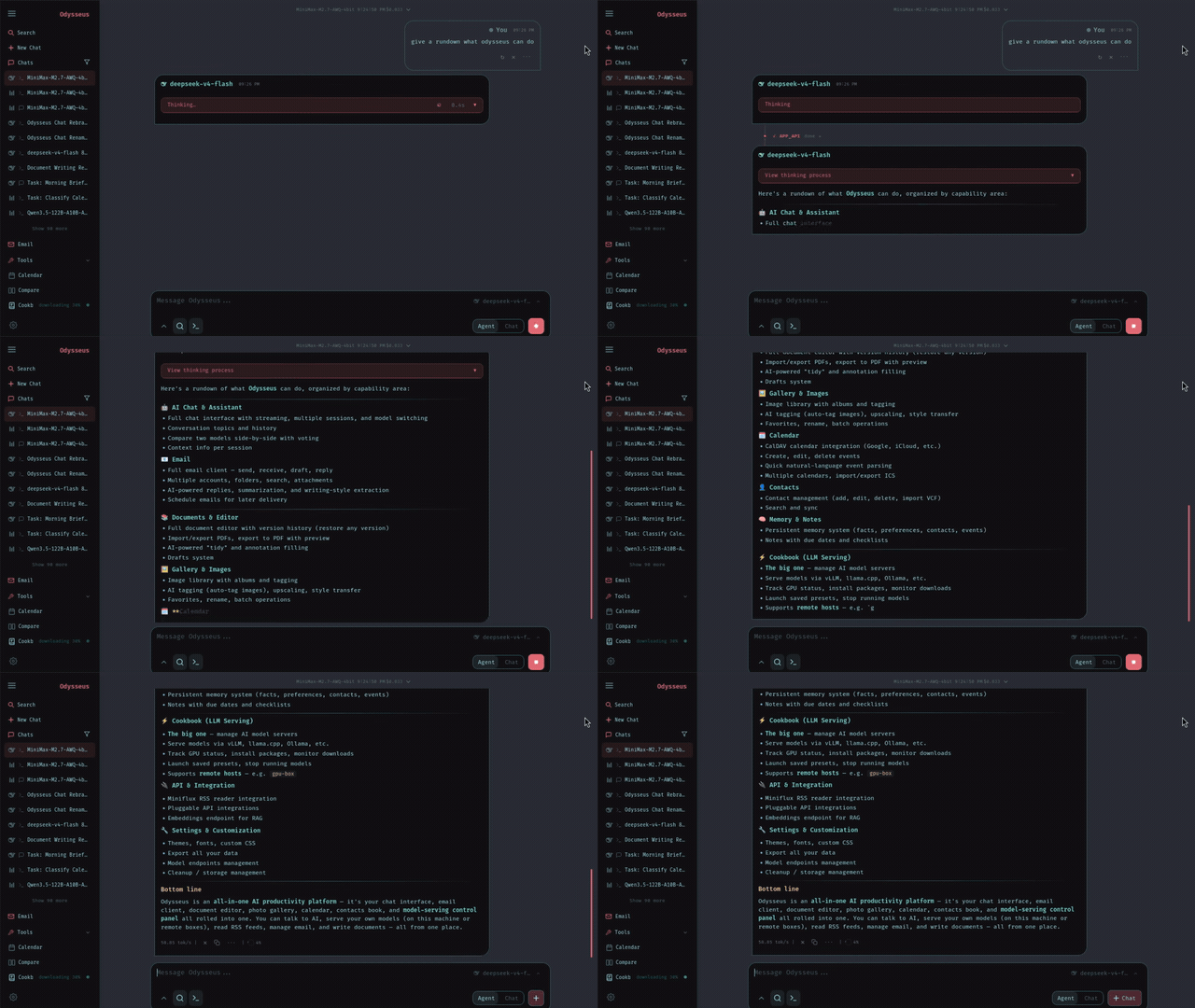
Odysseus tutorial in one minute
A practical odysseus tutorial should not start with every feature. It should start with one working loop: open Odysseus, log in, connect one model, send one prompt, and confirm the response. Once that loop works, you can safely test agents, deep research, documents, memory, email, calendar, phone access, and compare-style workflows without wondering whether the model backend is broken.
Think of Odysseus as the workspace shell and the model as the brain. The shell can be local and private, but it still needs a model backend. You can use Ollama for local models, Cookbook for hardware-aware model selection, OpenRouter or OpenAI-compatible APIs for stronger cloud models, or a remote server when your laptop is weak. The best tutorial path depends on which brain you choose.
For beginners, the safest tutorial order is source verification, route confirmation, login, model connection, first chat, then feature exploration. Skipping straight to agents or phone access before a basic prompt works creates noisy failures. You will not know whether the issue is Docker, Python, login, model detection, network exposure, or the agent task itself.
The first-hour tutorial
During the first hour, do less than the videos show. Start with a route you understand: Docker if you want containment, native Windows if you want PowerShell and Python control, native Mac if you are on Apple Silicon and care about local performance, or API-backed setup if your hardware is weak. Do not mix commands from multiple videos in one terminal.
After the workspace opens, ignore the temptation to test every panel. Use chat first. Select a model, turn off extra web or agent behavior if needed, and send a tiny prompt such as asking for a one-sentence summary. This proves that the UI, login, model provider, and response path are connected. If that fails, fix the model route before testing anything else.
Next, save your known-good baseline: install route, local URL, model provider, model name, and one diagnostic command. For Docker, the command is usually docker compose ps. For native setup, it is the terminal command that starts the server. That baseline prevents future tutorial steps from turning into guesswork.
Choose the model brain
The YouTube tutorials split into two camps. Local-first videos prefer Ollama, Cookbook, and small models because the data path stays close to your machine. No-Docker or free-AI videos often prefer OpenRouter because the quality is better on weak hardware and setup is less dependent on GPU or VRAM. Both paths can be valid. The mistake is pretending they solve the same problem.
Ollama
Best when privacy and local model control matter. Pull one lightweight model first, confirm it replies, then connect Odysseus.
OpenRouter
Best when your computer is weak or you want stronger models quickly. Treat provider keys and account settings as secrets.
Cookbook
Best when hardware detection and model fit recommendations work on your machine. If download stalls, use Ollama as a fallback.
Your first model should be boring and small. Pick a lightweight Qwen, Gemma, or Llama variant, or a free API-backed model. Do not begin with the biggest model mentioned in a video. Large local models can make a healthy Odysseus setup feel broken because the bottleneck is inference hardware, not the workspace.
You chose Odysseus. Now let's get you running, not just reading.
Launch Kit tells you exactly where. The bridge between "I chose Odysseus" and "I'm using Odysseus". Not more documentation, but a decision-making kit. The first night should be about exploring, not troubleshooting.
Test agents and research safely
Odysseus becomes interesting after chat works. Several overview and comparison videos focus on agents, deep research, memory, files, email, calendar, notes, tasks, and document workflows. Those features are why users search for an odysseus tutorial instead of only an install command. But they should be tested with bounded tasks.
A good first agent task is specific, reversible, and low-risk: summarize a local text file, draft a checklist, compare two short notes, or outline a research question. A bad first agent task is broad and dangerous: change system files, connect every account, browse without limits, or execute shell commands without understanding permissions. Keep the first task small enough that you can verify the answer.
For deep research, start with a question where you already know some facts. That gives you a way to judge whether the workflow is gathering useful sources or just producing a polished report. For memory, import or add only a small amount of context first. A clean tutorial path teaches trust through verification, not through spectacle.
First prompts to try
The first prompt in an odysseus tutorial should be intentionally plain. Ask for a short answer, a small rewrite, or a tiny checklist. This separates model connection from feature complexity. If a simple prompt fails, do not move on to agents, files, email, or research. Fix the model route first.
Chat check
Ask: 'Summarize what Odysseus is in two sentences.' This confirms the selected model can answer without tools.
Document check
Paste a short paragraph and ask for three bullets. This confirms normal text handling before file workflows.
Agent check
Ask for a local checklist or plan, not system changes. This confirms agent reasoning without dangerous tool use.
Research check
Ask a narrow question with sources requested. This confirms research flow without hiding basic model problems.
Save one prompt that works. When a later tutorial step breaks, return to that known-good prompt. If it still works, the model is probably fine and the issue is the tool, permission, network, or feature you just enabled. If it fails too, the model backend or provider connection changed.
How to interpret each route
Docker tutorials usually optimize for containment. If Docker works, the app and supporting services are easier to restart and inspect. Native Windows tutorials optimize for control, but they make Python, packages, and terminal state visible. Mac tutorials often focus on Apple Silicon and local performance. API-backed tutorials optimize for quality on weak hardware.
None of those routes is universally correct. The right tutorial route is the one that matches your bottleneck. If you fear dependency errors, use Docker. If you need local Metal acceleration on an M-series Mac, use native Mac. If you are on Windows and want to understand every step, use native Windows. If your machine cannot serve models, use an API-backed model route first.
This matters for SEO because searchers use the same word, tutorial, for different jobs. Some want an install tutorial, some want a feature tutorial, some want a phone access tutorial, and some want a comparison tutorial. This page keeps those intents separate so users can jump to the guide that matches the problem they actually have.
Phone and LAN access
One popular video shows how to access Odysseus from a phone. The idea is simple: the app runs on your computer, and another device on the same trusted network can reach it if the server binds beyond localhost and you use the computer's LAN IP plus the correct port. The risk is also simple: binding outside localhost can expose the workspace to devices you did not intend.
Treat phone access as a second-day tutorial, not a first-run requirement. First prove the local browser path works on the host machine. Then decide whether you need LAN access, Tailscale, Cloudflare Access, ngrok, or another tunnel. Keep authentication enabled, avoid public raw ports, and do not expose model endpoints without protection.
If you only want to test the mobile layout at home, a trusted LAN or VPN is enough. If you want remote access outside your network, use a protected access layer. A tutorial that says “bind to 0.0.0.0” without explaining the security boundary is incomplete.
What the videos add
The video set is useful because each creator answers a different tutorial question. Professor Patterns covers the product overview and phone access. Erik Lazar argues for API-backed models and no-Docker workflows. Rajeevdaz and Ash Automates focus on step-by-step setup. United Top Tech shows the macOS path. AI Updates Daily frames Odysseus against other agent tools. Combined, they make it clear that Odysseus is not one single workflow.
This page intentionally converts those videos into a written decision path instead of a playlist summary. A user searching for odysseus tutorial needs a stable answer that survives video aging: official source first, one setup route, one model backend, one first chat, then advanced features. Video links are evidence and orientation, not the final command source.
Feature overview, model cookbook, chat, agents, and local workspace context.
No-Docker style flow, API model route, OpenRouter idea, and agent-first onboarding.
Manual Windows context, fork warning, dependency friction, and route risk.
Phone access, LAN bind, Tailscale, Cloudflare, and local network boundaries.
Mac route, Git, Python, Apple Silicon, Ollama, and model testing.
Free model route, OpenRouter, PC/VPS framing, and API-backed setup tradeoffs.
Comparison context for when Odysseus is a good starting point and where it has limits.
Tutorial mistakes to avoid
Do not use a fork from a video unless you understand the exact reason for the fork. Forks can be useful temporary workarounds, especially while a fast-moving project has Windows issues, but they should not replace the official repository for normal users. If a fork is required, document what changed and when you plan to return to upstream.
Do not compare Odysseus with ChatGPT, Claude, Hermes, Open WebUI, or OpenClaw as if they are all the same product. Odysseus is a local workspace with multiple tools. Some alternatives are chat interfaces, some are agent systems, and some are cloud assistants. Use comparisons to understand fit, then come back to the tutorial task: make your own first loop work.
Do not paste API keys, passwords, full logs, or .env files into public comments while following a tutorial. Redact secrets before asking for help. Most first-run questions can be answered with operating system, install route, model route, last command, local URL, and the first safe error line.
FAQ
What should an Odysseus tutorial teach first?
A useful Odysseus tutorial should teach the first working loop: open the workspace, log in, connect one model, send one chat prompt, then test agents or research after the basics work.
Should beginners use Ollama or OpenRouter first?
Use Ollama first when privacy and local model testing matter. Use OpenRouter or another API-backed route first when your hardware is weak and you want better model quality without local inference problems.
Is Odysseus only a chat app?
No. Odysseus includes chat, agents, Cookbook model selection, deep research, documents, memory, email, calendar, notes, tasks, and other local workspace tools. Chat is just the first validation step.
Can I access Odysseus from my phone?
Yes, but do it after the local setup works. Binding to 0.0.0.0 or using a LAN address can expose the app to other devices on your network, so keep authentication enabled and prefer a trusted VPN when possible.
Should I follow a fork from a YouTube tutorial?
Use forks only when you understand why they exist. For normal users, the official pewdiepie-archdaemon/odysseus repository should remain the source of truth, and forks should be treated as temporary workarounds.
Use this odysseus tutorial when you want the first usable session. Use the setup guide when you are still choosing Docker, native Windows, Git, Python, Ollama, or API routes. Use the how to run guide when the app is installed and you need a short restart path.