Odysseus AI Quickstart
Install Without Fighting
Docker, Python or Ollama
Odysseus AI is a free, open-source AI interface created by PewDiePie. This Launch Kit gives you the safest, fastest and most beginner-friendly way to install and run it on your own machine.
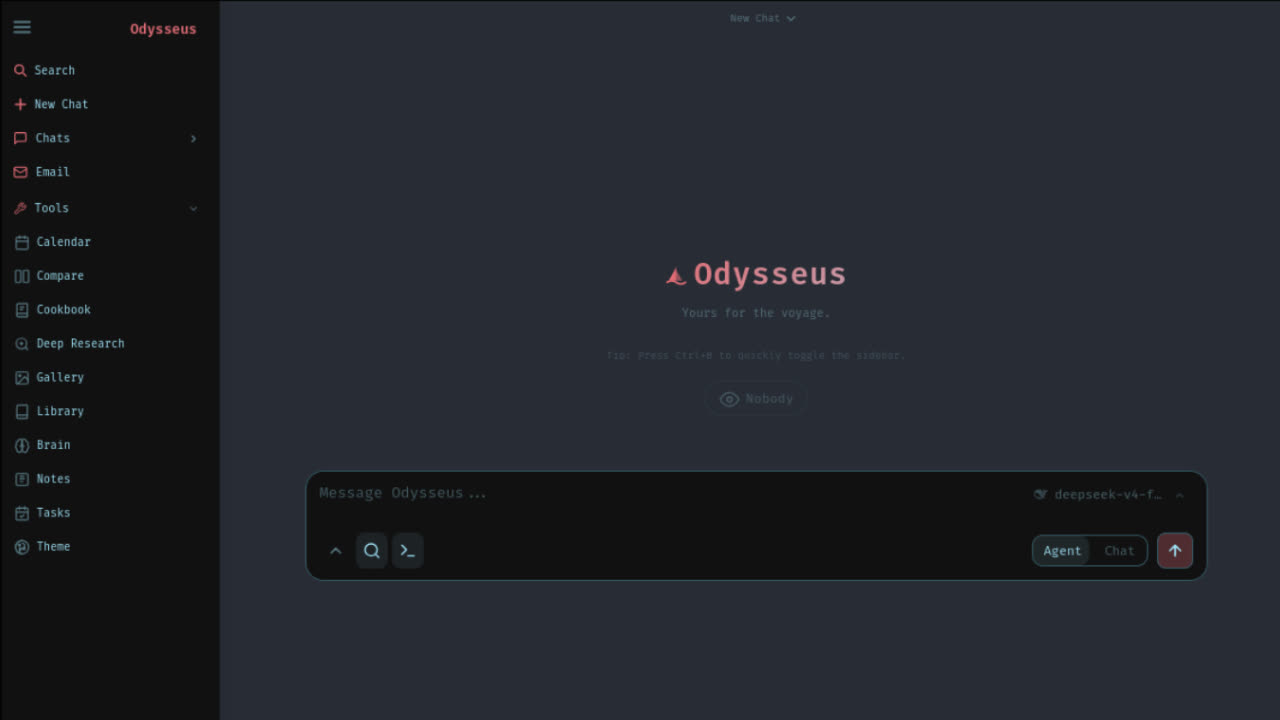
What is the Odysseus AI Quickstart?
Choose the Odysseus AI setup path that matches your situation
An Odysseus AI install is not one single download. Your safest next step depends on whether you are starting fresh, configuring Docker and Ollama, or fixing a broken localhost, login, or model connection.
Covers Odysseus Docker, Odysseus Ollama, and Odysseus AI not working routes without changing the official source.
I haven't installed Odysseus AI yet
Start by verifying the official GitHub repository, then choose Docker, Windows native, macOS native, or API-backed setup.
Best first command:
I need Docker or Ollama setup
Most Docker problems are not Odysseus problems. They are port, .env, container health, or Ollama endpoint mapping problems.
Common Docker-to-host endpoint:
Odysseus AI is already not working
Do not delete folders, disable auth, expose ports, or paste raw logs into public chats. First classify the error: admin password, localhost:7000, Docker Compose, Ollama, PowerShell, GPU, or API key.
Quick Facts
Everything you should know before you install
100% Free & Open Source
You get the source code for free. This site only helps you complete the install shortcut and tools.
You Need a Model
Odysseus is just the interface. Connect it to Ollama or other model providers.
Localhost-First
Run locally on your machine. Don't expose ports or API keys to the public.
Official Source Only
Always verify the GitHub repo before you download or clone.
Official Source & Safe Download
Always verify the official GitHub repository before you install
Because Odysseus AI became popular quickly, users may see GitHub mirrors, low-quality tutorials, fake download pages, or random installer files. The safest way to begin an Odysseus AI install is to verify the official GitHub source first.
Official GitHub Repository
pewdiepie-archdaemon/odysseus
Clone with Git:
&& cd odysseus
⚠️ Never download Odysseus from random websites.
Open GitHub →Setup Path Checker
Get your recommended Odysseus AI install path
Answer a few setup questions and get a practical route: Docker Compose, native Windows, native Apple Silicon, API-backed, or troubleshooting first. The result includes the first command to run, the mistake to avoid, and the exact guide to continue with.
1. What machine are you using?
2. What setup route do you prefer?
3. What do you want Odysseus to use for models?
4. What is your current state?
Docker Compose is your safest Odysseus AI install path
High confidence for most Windows, Linux, and beginner installs
Why this path
Docker keeps Odysseus, ChromaDB, SearXNG, ntfy, and the app runtime in a contained setup. It is the easiest route when you want a repeatable install without manually managing Python dependencies.
Prerequisites
Git, Docker Desktop or Docker Engine, Docker Compose, and access to the official repository.
First command
git clone https://github.com/pewdiepie-archdaemon/odysseus.git
cd odysseus
cp .env.example .env
docker compose up -d --build
Avoid this mistake
Do not expose APP_BIND=0.0.0.0 just to make localhost work. First confirm container health with docker compose ps and keep the app bound to localhost unless you intentionally want trusted LAN or reverse-proxy access.
Want the guided version?
The Launch Kit adds a Docker preflight checklist, .env template notes, port 7000 repair steps, and Ollama endpoint mapping so you do not have to debug Compose blindly.
Send this route to my inbox
Optional. We do not need your API keys, passwords, .env file, or private logs.
Your install plan should produce an immediate next action
Based on your OS, route preference, model goal, and current state, this checker turns a broad Odysseus AI setup question into a specific route, command, warning, and guide link.
- Docker Compose, native Windows, native Apple Silicon, API-backed, or troubleshooting first
- Exact first command and the guide page to continue with
- Risk warning before you change .env, ports, auth, or model endpoints
Install Path Decision Matrix
Choose your Odysseus AI install path
There is no single best Odysseus AI install route for everyone. Docker Compose is the most repeatable path for many users. Native Windows is useful when you want direct PowerShell control. Native Apple Silicon is better for local model performance. Ollama setup is not a full install route by itself; it is the model connection step after Odysseus is running.
Use this matrix before choosing an Odysseus Docker route, an Odysseus Ollama endpoint, or a native install guide.
| Path | Choose this if | Do not choose this if | First command / endpoint | Common trap | Continue |
|---|---|---|---|---|---|
Docker Compose Recommended for most users | You want the most repeatable Odysseus AI install path and do not want to manually manage Python, services, ChromaDB, SearXNG, or ntfy. | You are on Apple Silicon and your main goal is Metal-accelerated local model serving. | docker compose up -d --build | Using localhost:11434 inside Docker when Ollama is running on the host. Use http://host.docker.internal:11434/v1 instead. | Open Docker Guide |
Native Windows Best for PowerShell users | You are on Windows, have Python 3.11+ and Git installed, and want to run the official Windows launcher without Docker networking. | You are not comfortable with PowerShell, Python virtual environments, or dependency errors. | powershell -ExecutionPolicy Bypass -File .\launch-windows.ps1 | Running the script from the wrong folder or using an older Python interpreter from the Microsoft Store shim. | Open Windows Guide |
Native Apple Silicon Best for local model performance | You use an M-series Mac and want local model speed through native macOS execution instead of Docker CPU fallback. | You mainly want isolated containers and do not care about local model acceleration. | ./start-macos.sh | Expecting Docker Desktop on macOS to provide the same Metal GPU path as native macOS. | Open MacBook Guide |
Ollama Connection Model setup step | Odysseus is already running and you need local models to appear inside Settings. | You have not installed or started Odysseus yet. Ollama is the model backend, not the Odysseus app itself. | Native: http://localhost:11434/v1 Docker to host: http://host.docker.internal:11434/v1 | Forgetting the /v1 suffix or assuming Docker localhost means your host machine. | Open Ollama Resolver |
API-Backed Setup Best for low-spec machines | You want the Odysseus workspace running quickly but do not want to serve local models on your own hardware. | Your goal is fully offline local model usage. | Run Odysseus first, then add your provider inside Settings. | Trying to solve UI setup and local model serving at the same time. Get the app running first. | Read Install Hub |
Troubleshooting First Best if you already see an error | You have a login page with no password, localhost:7000 does not open, Docker Compose fails, or Ollama is not detected. | You have not started the install yet. | docker compose ps docker compose logs --tail=120 odysseus | Reinstalling before reading logs. Most failures need one targeted fix, not a full reset. | Diagnose Error |
Docker Compose
Recommended for most usersChoose this if
You want the most repeatable Odysseus AI install path and do not want to manually manage Python, services, ChromaDB, SearXNG, or ntfy.
Do not choose this if
You are on Apple Silicon and your main goal is Metal-accelerated local model serving.
First command / endpoint
docker compose up -d --build
Common trap
Using localhost:11434 inside Docker when Ollama is running on the host. Use http://host.docker.internal:11434/v1 instead.
Native Windows
Best for PowerShell usersChoose this if
You are on Windows, have Python 3.11+ and Git installed, and want to run the official Windows launcher without Docker networking.
Do not choose this if
You are not comfortable with PowerShell, Python virtual environments, or dependency errors.
First command / endpoint
powershell -ExecutionPolicy Bypass -File .\launch-windows.ps1
Common trap
Running the script from the wrong folder or using an older Python interpreter from the Microsoft Store shim.
Native Apple Silicon
Best for local model performanceChoose this if
You use an M-series Mac and want local model speed through native macOS execution instead of Docker CPU fallback.
Do not choose this if
You mainly want isolated containers and do not care about local model acceleration.
First command / endpoint
./start-macos.sh
Common trap
Expecting Docker Desktop on macOS to provide the same Metal GPU path as native macOS.
Ollama Connection
Model setup stepChoose this if
Odysseus is already running and you need local models to appear inside Settings.
Do not choose this if
You have not installed or started Odysseus yet. Ollama is the model backend, not the Odysseus app itself.
First command / endpoint
Native: http://localhost:11434/v1
Docker to host: http://host.docker.internal:11434/v1
Common trap
Forgetting the /v1 suffix or assuming Docker localhost means your host machine.
API-Backed Setup
Best for low-spec machinesChoose this if
You want the Odysseus workspace running quickly but do not want to serve local models on your own hardware.
Do not choose this if
Your goal is fully offline local model usage.
First command / endpoint
Run Odysseus first, then add your provider inside Settings.
Common trap
Trying to solve UI setup and local model serving at the same time. Get the app running first.
Troubleshooting First
Best if you already see an errorChoose this if
You have a login page with no password, localhost:7000 does not open, Docker Compose fails, or Ollama is not detected.
Do not choose this if
You have not started the install yet.
First command / endpoint
docker compose ps
docker compose logs --tail=120 odysseus
Common trap
Reinstalling before reading logs. Most failures need one targeted fix, not a full reset.
Still not sure? Use the Setup Path Checker above. If you already have logs or an error message, go straight to Error Doctor before changing .env, deleting data, or exposing ports.
Docker Quick Path
Fastest and most stable way for most users
git clone https://github.com/pewdiepie-archdaemon/odysseus.git
cd odysseus
cp .env.example .env  # Edit .env file with your API keys
docker compose up -d --build
# Open http://localhost:7000
⚠️ Important Warning
- Default container address is mapped internally at
http://localhost:7000. - Ensure
APP_BIND=0.0.0.0is properly configured inside your copied.envpath. - Use
docker compose logs -fcommands to catch any database lock loops or missing parameters.
Ollama Connection Guide
Odysseus AI Ollama endpoint cheat sheet
Many Odysseus AI install problems are really Ollama endpoint config bugs. Use these tested routing parameters.
| Odysseus Run Mode | Ollama Location | Endpoint URL Base |
|---|---|---|
| Native App Install | Local same hardware | http://localhost:11434/v1 |
| Docker Compose | Host operating system | http://host.docker.internal:11434/v1 |
| Mobile Device / Local LAN | Central local host PC | Your computer local network IP (e.g., 192.168.x.x) |
| Cloud Server / VPS | Remote dedicated node | Never expose 11434 publicly. Bind secure VPN tunnels. |
Interactive Endpoint Resolver
Recommended Endpoint Base URL
Why: Crucial! Inside a Docker container, "localhost" points to the container itself. To connect to Ollama running on your host Windows/Mac, you must use this special virtual domain DNS address.
Direct Answers
Quick answers for common Odysseus AI install questions
Where is the Odysseus admin password?
On first startup, Odysseus automatically initializes an admin login and prints a temporary password. If running Docker compose, search docker compose logs to spot the temporary credentials block.
Why does localhost:7000 not open?
The terminal port may already be locked by an active process on your PC. Instead of editing raw configuration files, set APP_PORT=7001 inside your copied local .env to override port bindings.
Is it safe to expose Odysseus or Ollama publicly?
Absolutely not by default. Odysseus is a fully functional administrative terminal with raw shell and execution powers. Do not bind APP_BIND=0.0.0.0 or open public ports without secure credentials.
Error Diagnosis
Common install problems & instant troubleshooting
I cannot find the generated admin password
Likely cause: On first application boot, Odysseus creates a dynamic root master account and prints a temporary startup key in the standard output terminal. If you launched in standard detached mode, this prints in hidden background logs.
First diagnostic check: Inspect the logs depending on your environment:
- docker logs odysseus_web_1 # compose name
- or grep terminal logs for "Admin access credentials initialized"
Need custom error reports or automated tools?
Compare Your Next Step
DIY guide, Launch Kit, Fix Report, or Remote Setup?
Odysseus AI itself is free and open source. You can always use the official repository and the free guides. The paid options are for users who want a clearer route, a faster diagnosis, or hands-on help when Docker, Python, Ollama, admin login, or localhost ports get messy.
$0
Free DIY Guide
Best for
Developers who are comfortable reading official docs, checking logs, editing .env, and debugging Docker or Python themselves.
You get
Official repo link, clone command, install route table, Docker command, Ollama endpoint cheat sheet, admin password answer, port 7000 notes, and safety warnings.
Use Free Guide$19
Odysseus Launch Kit
Best for
Users who have not installed yet and want the cleanest route through source verification, preflight checks, Docker/native setup, Ollama mapping, first login, and safety review.
You get
Guided setup route, preflight checklist, copyable command workbook, .env notes, Docker and Windows route helpers, Ollama endpoint mapping, admin password capture checklist, port repair tree, and workflow starter prompts.
$49
Fix Report
Best for
Users who already have an error, redacted logs, a broken localhost page, missing admin password, Docker Compose failure, or an Ollama endpoint mismatch.
You get
A human-readable diagnosis: likely cause, unsafe actions to avoid, first command to run, exact fix path, and whether the issue should upgrade to Remote Setup.
$199
Remote Setup
Best for
Non-technical users, complex machines, team devices, or users who do not want to spend hours on Docker, Python, Ollama, GPU passthrough, ports, or login setup.
You get
Guided remote session, one-machine setup, route selection, app launch verification, first login confirmation, one provider or Ollama connection, and handoff notes.
Windows setup intent
"I want the exact PowerShell route and the first checks when localhost does not open."
Setup intent note added to clarify who should choose the Launch Kit without changing the free install guide focus.
Ollama setup intent
"Ollama is running, but Odysseus does not see it. I need the endpoint rule, not more guessing."
Setup intent note added to clarify who should choose the Launch Kit without changing the free install guide focus.
First-use intent
"After setup, I want a useful workflow starter instead of staring at a blank workspace."
Setup intent note added to clarify who should choose the Launch Kit without changing the free install guide focus.
We do not sell Odysseus AI itself. Odysseus AI is free and open source. The Launch Kit is an independent setup workbook, checklist, and helper package built around the official source.
| Decision point | Free DIY Guide | Launch Kit ($19) | Fix Report ($49) | Remote Setup ($199) |
|---|---|---|---|---|
| Starting state | You know how to debug your own install. | You have not installed yet or want a guided first run. | You already have a specific error or redacted logs. | You want someone to walk the setup with you. |
| Main value | Crawlable install answers and links. | Route selection, preflight checks, and safe commands in one guided package. | Error classification and next command. | Hands-on execution and verified handoff. |
| Docker Compose | Shows the core command. | Adds Docker checklist, .env notes, port plan, and log commands. | Diagnoses Compose failure from redacted logs. | Checks Docker Desktop / daemon and runs setup live. |
| Ollama endpoint | Shows localhost and host.docker.internal endpoints. | Maps your route to the correct endpoint and Settings entry. | Finds endpoint mismatch, missing /v1, firewall, or host binding issues. | Configures one local model/provider path with you. |
| Admin password | Explains terminal and Docker logs. | Adds first-run capture checklist and first-login handoff. | Tells you where to search based on your route. | Confirms login works during the session. |
| Port 7000 | Explains APP_PORT and localhost. | Adds port conflict decision tree. | Classifies port conflict vs container offline vs wrong URL. | Verifies final reachable URL. |
| Safety boundary | Warns against public exposure. | Adds localhost-first checklist for APP_BIND, AUTH_ENABLED, LOCALHOST_BYPASS, and SECURE_COOKIES. | Flags unsafe fixes in your error context. | Keeps sensitive values entered by you, not collected by us. |
| Best CTA | Read install hub | Get Launch Kit - $19 | Request Fix Report | Request Remote Setup |
What The Launch Kit Actually Adds
Not a repackaged Odysseus installer. A guided setup workbook and helper kit.
The Launch Kit does not sell Odysseus AI itself, modify the official repository, or ask you to run a black-box installer. It gives you a guided setup plan around the official source: which route to choose, what to check before running commands, what values to keep private, how to capture the first admin password, how to map Ollama correctly, and what to do when localhost:7000 fails.
Inside the Launch Kit preview:
Launch Kit Details
What's inside the Odysseus Launch Kit
The Odysseus Launch Kit is being built for users who want a clearer Odysseus AI install path without reading every GitHub issue, Docker note, endpoint discussion, and security warning.
Target launch bundle price: $19
Open the current beta offer, compare what is included, and choose whether to buy on Gumroad.
NEXT STEPS
You chose Odysseus.
Now let's get you running, not just reading.
You just compared options and chose Odysseus. That's the big decision. Now comes the small, frustrating part: setup. The part where you follow a guide but something doesn't match. The part where you copy a command and it doesn't work.
Launch Kit tells you exactly where.
Launch Kit tells you exactly where. The bridge between "I chose Odysseus" and "I'm using Odysseus". Not more documentation, but a decision-making kit. The first night should be about exploring, not troubleshooting.
You've made the choice of tool. Don't waste the choice of evening. $19.9 gets you from decision to done.
Launch Kit gives you:
Setup Path Selector
Find the right path for your machine, upfront.
Auto-Run Scripts
Transparent helpers, not black-box installers.
Preflight Verification
Validate your environment before you begin.
Common Pitfall Warnings
See the traps before you step in them.
First Configuration Path
Get from install to useful quickly.
Workflow Starters
First-day templates that actually work.
Save one evening.
That's all we ask.
ONE-TIME ACCESS
$19.9
Beta price
Secure checkout
Powered by Stripe
30-day satisfaction
guarantee
Built by developers
for developers
Workflow Starters
What can you do after your Odysseus AI install?
Deep-tune the workspace capability using our preloaded diagnostic model assistant prompt configurations.
Research Agent Starter
Use case: summarize web research papers, collect sources, isolate claims.
SEO Content Specialist
Use case: construct high-ranking page briefs and index outline layouts.
Coding Debug Assistant
Use case: explain error logs, test logic flaws, inspect container status threads.
Local Documents Q&A
Use case: discuss locally private directories and confidential files securely.
Pricing
Choose the path that matches your situation
Developer Route
FREE
Perfect for senior developers already familiar with Docker systems, custom PowerShell parameters, and local network routes.
- ✓ Official Manual Guidance
- ✓ Your Self-Diagnosed Setup
- ✓ Fully Manual Setup
Launch Kit
$19
Save hours of troubleshooting. Get the correct setup wizard, custom templates, automatic Ollama connection scripts, and prompts.
- ✓ Preflight Diagnostics
- ✓ Complete Docker Configs
- ✓ Automated Ollama connection
- ✓ Workflow Starter Pack
Fix Report
$49
Stuck in a database locking loop or port collision block? Submit your log outputs, and receive an expert custom diagnostic fix path.
- ✓ Log troubleshooting review
- ✓ Guaranteed custom repair step
- ✓ Risk evaluation analysis
Remote Setup
$199
Skip terminal steps entirely. Book a dedicated professional to remotely install and configure Odysseus, Docker, and local models.
- ✓ Complete hardware review
- ✓ Fully manual done-for-you
- ✓ Secure handoff protocol docs
Safety first: treat Odysseus like a local admin console
A self-hosted AI workspace can touch local files, executing workflows natively under internal parameters. Treat Odysseus like a local admin dashboard terminal. Keep ports blocked. We never ask for your keys or passwords.
FAQ
Frequently Asked Questions & Answers
Ready to start your
Odysseus AI Quickstart?
Verify the official source, select optimized configuration templates, configure local Ollama URLs, and skip debugging tedious terminal mistakes with the Launch Kit.